Roughly one in four tasks owned by leadership carried any status at all. By the end of the day the request came in, every active board had the same three fields, a template carried them to every new board, and a sweep kept "done" meaning one thing.
Status meant something different on every board. A task could be ticked done and still carry a "Complete" status on one board and "In Progress" on another. The tracker ran as a basic workspace without admin controls, so nothing could be enforced centrally. Leadership asked to be able to see where work stood without opening every board.
I set one standard and put it everywhere in a single day.
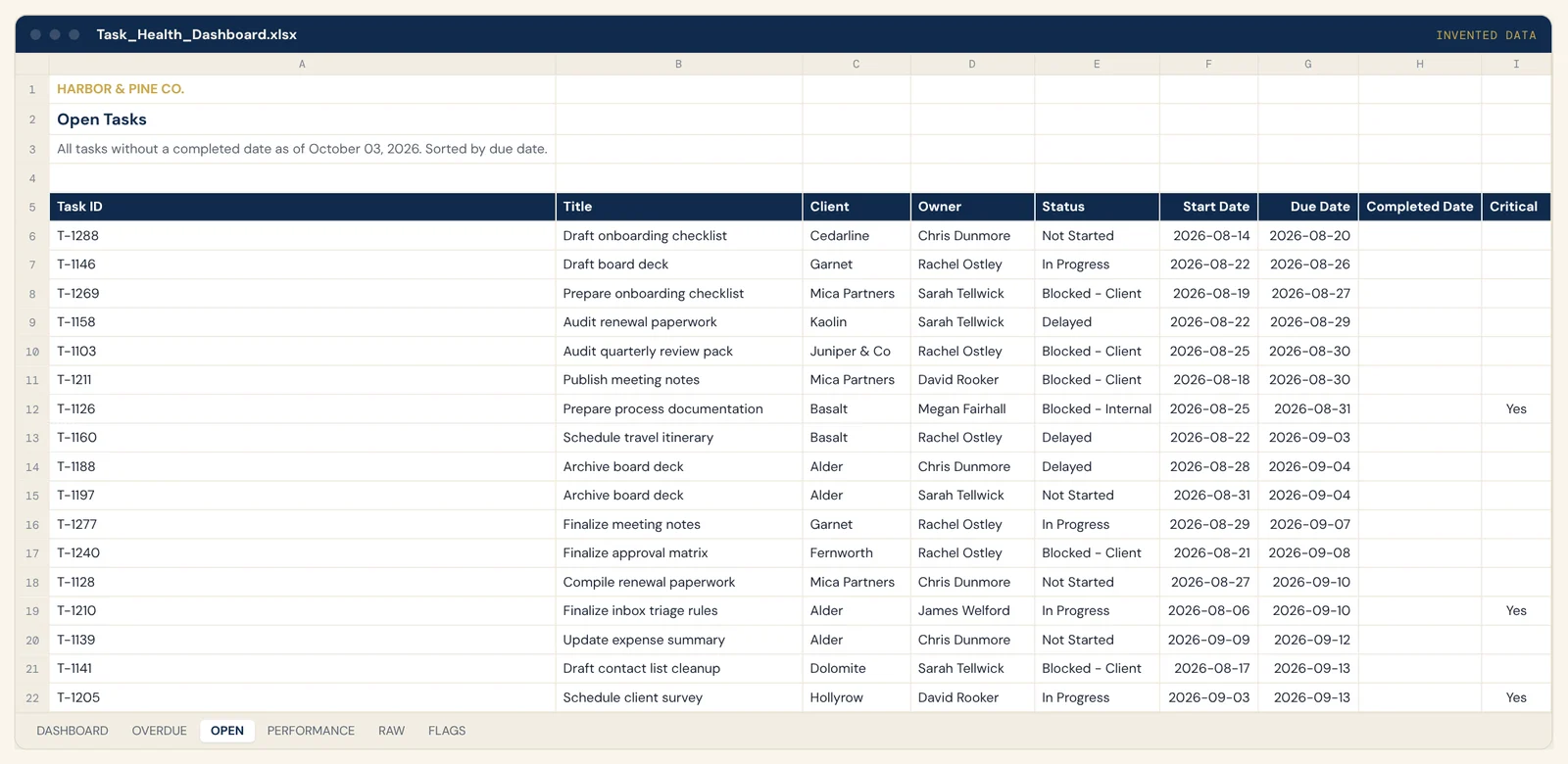
Three fields, no more. A status single-select with five states: Not Started, In Progress, Delayed, Blocked by client, Blocked internally. There is no Complete state, because the tracker's own done checkbox is the only done. A one-line comment for "where this stands now", written by a person. A yes or no flag for critical this week.
Workspace level, same day. The three fields were created once at workspace level and attached to every active board the same day. One field means one thing everywhere, and anything that reads status can read it across boards.
A template board. Default sections plus the three fields, duplicated for every new board, so a board made next month carries the standard without anyone remembering it.
The sweep. A script runs every few minutes, finds completed tasks that still carry a status, and clears it. Nobody has to remember. A finished task never reads In Progress.
The status field kit (one single-select, every board)
| State | Use when |
|---|---|
| Not started | Created, no work yet |
| In progress | Being worked now |
| Delayed | Behind its date, still moving |
| Blocked by client | Waiting on the client; names who |
| Blocked internally | Waiting on our side; names who |
| Done | The done checkbox only, never a status |
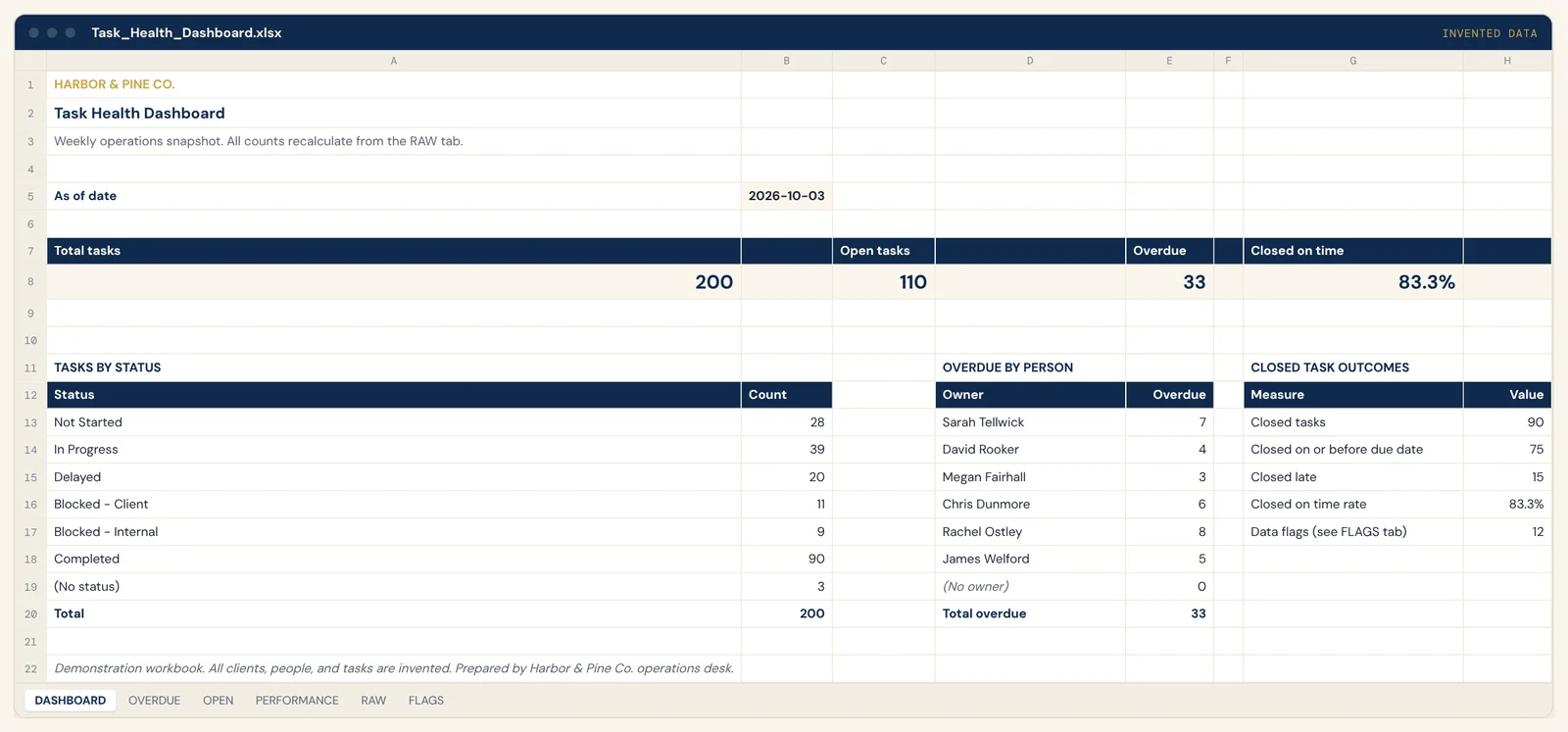
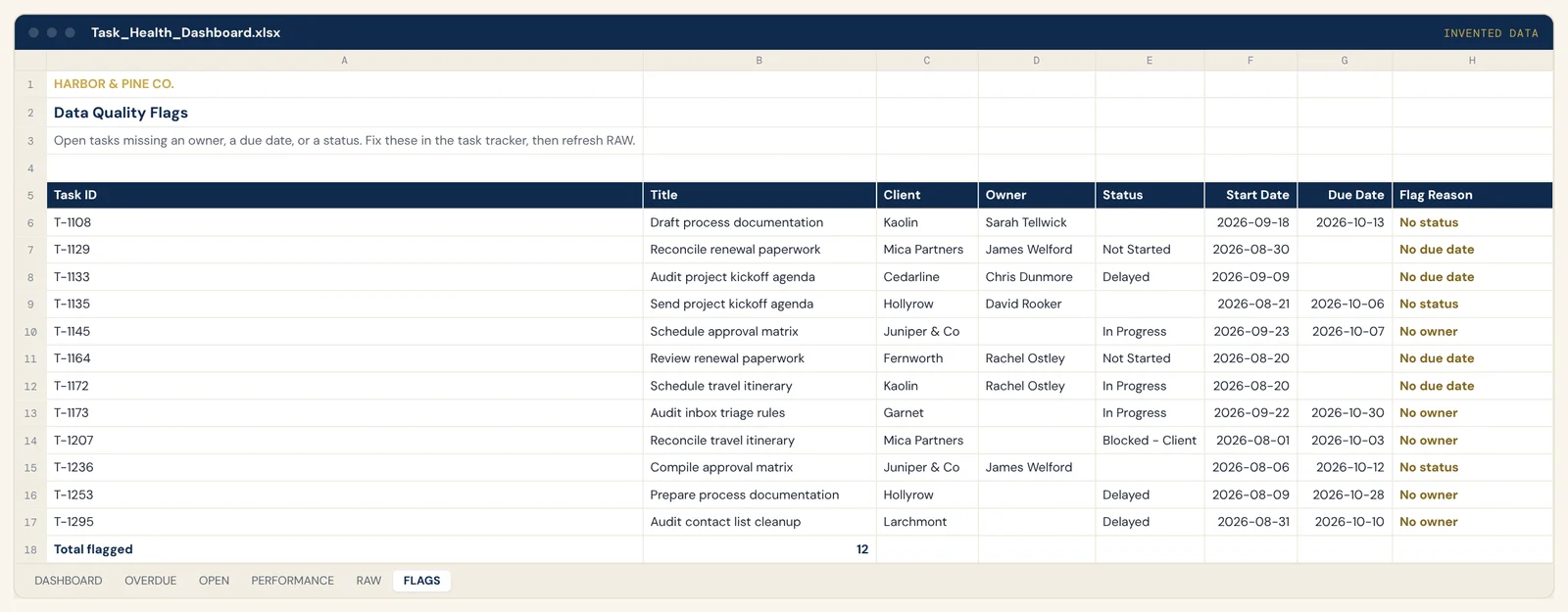
Status coverage, Task Health Dashboard (DASHBOARD and FLAGS tabs)
| Check | Found | Standard |
|---|---|---|
| Tasks with a status | 197 of 200 | every task, at creation |
| Open tasks with no status | 3 | none |
| Done tasks holding a Completed status | 90 | none; the sweep clears it |
| Open tasks with no owner | 5 | none |
| Open tasks with no due date | 4 | none |
| Total flagged (FLAGS tab) | 12 | none |
Task rules. Every new task gets a status and a comment line when it is created. Its start date is the Monday of its due week. Overdue tasks move to today rather than sitting in the past. Critical is yes only when the task is due this week and its owner can act on it. A blocked status names who is blocking.
Applied to my own work first. I applied the rules in bulk to 100+ of my own tasks before asking anyone else to, so the standard had a visible example on day one.
Recurring work generated ahead. A weekly scheduled script creates next week's task for each recurring duty, with the week's date in the title, unless one already exists. The task appears before the work does.
Click any image to see it full size. Every file here is rebuilt with invented data.
The results, in bands. Status fields went from roughly a quarter of leadership tasks to every active board within one day. Done has one meaning. New boards inherit the standard. A review date is set to check whether comment lines go stale, and an automatic fill stays unbuilt until that review shows it is needed.
- Without admin controls, nothing could be enforced centrally and an archived board could not be restored. The standard lives in the template board and the sweep instead of a setting, so a board built from scratch can still miss it.
- Before the change, the done checkbox and a Complete status disagreed on the same tasks. Dropping Complete leaves finished tasks holding their last status, so the standard now depends on the sweep, and a sweep failure is something I watch for.
- A human-written comment line goes stale when people forget it. I chose to keep it human-written with a dated review rather than hide the habit behind automation.
Task Health Dashboard (demo workbook)The Status Gap brief (PDF)The Client Health RaterLive demos of the working filesPart of the work in case study 07
Case study 10